 FoliumText
Read
Write
Privacy
Get the app
Markdown, rendered natively.
A free reader and editor for iPhone, iPad and Mac. It opens the .md files you already have and draws them with real native views, not a web page in disguise.
Get FoliumText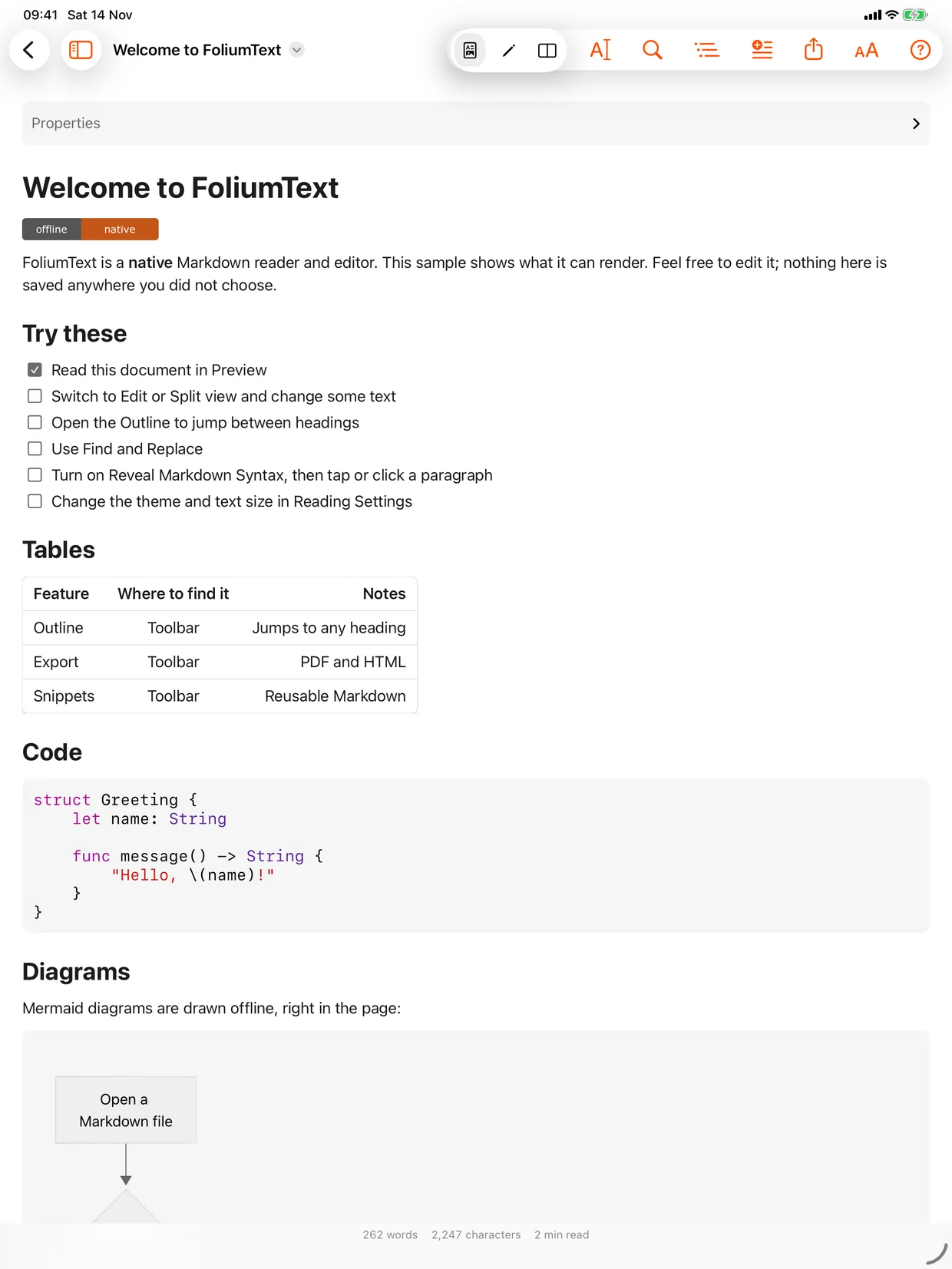
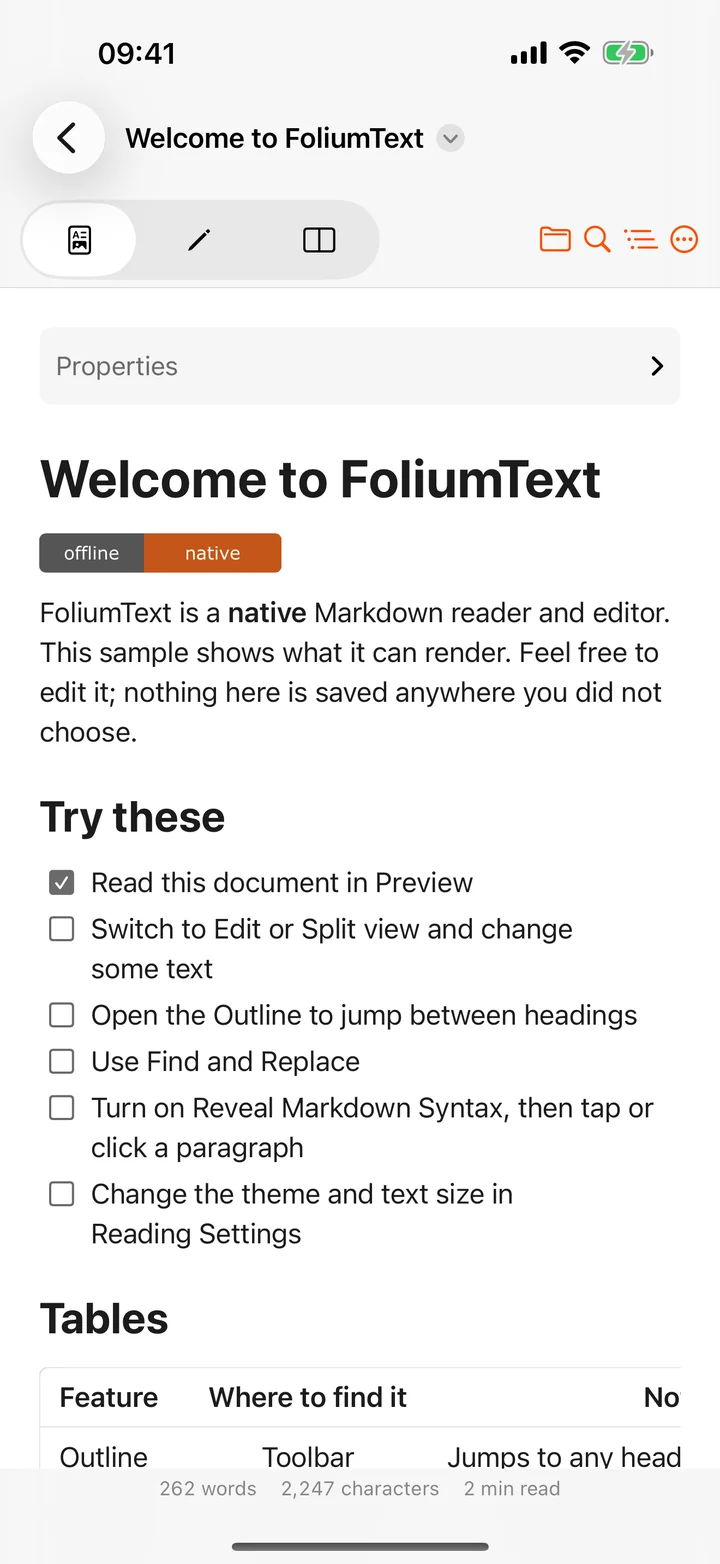
Your README, the way it was meant to look.
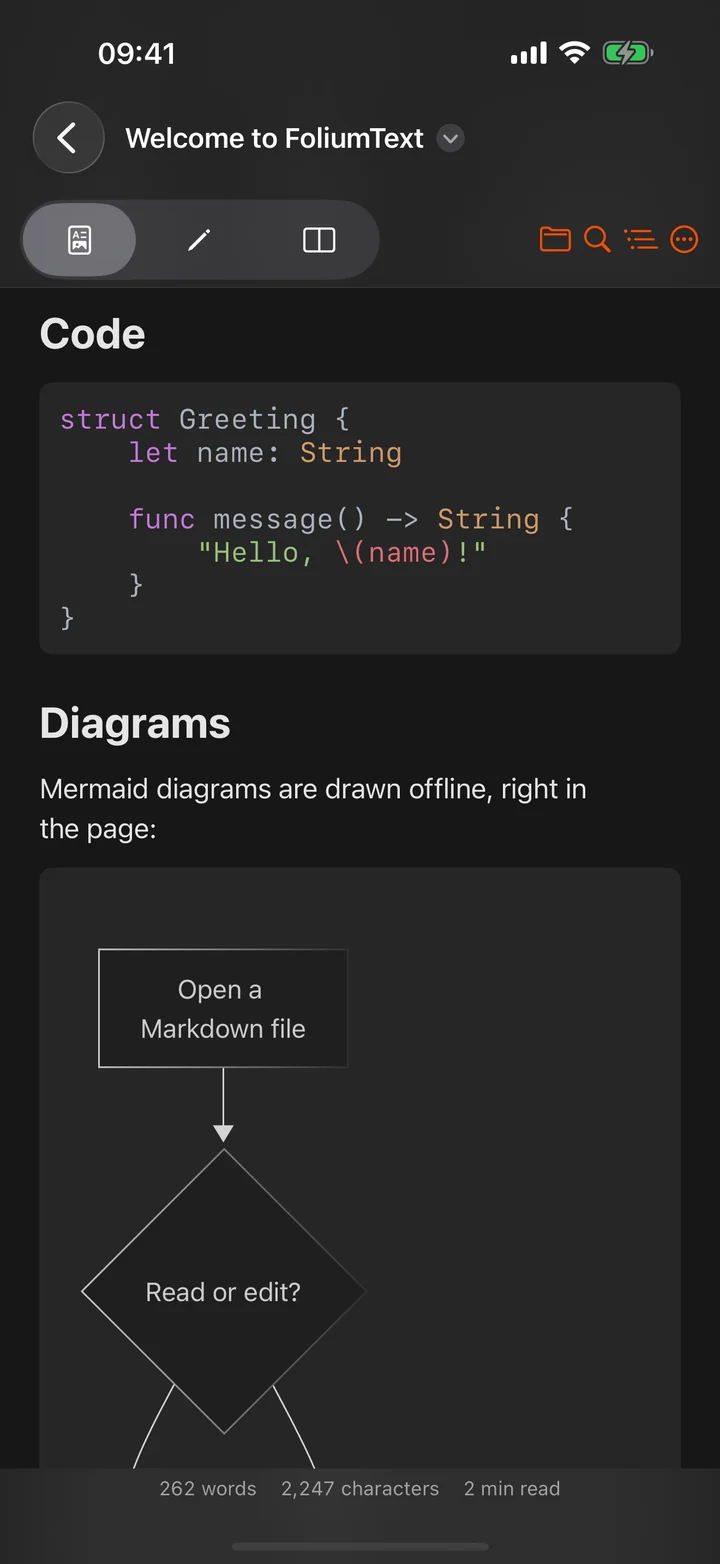
Tables, task lists, footnotes, badges and nested lists, each drawn as a native view. It launches quickly and scrolls like the rest of your device.
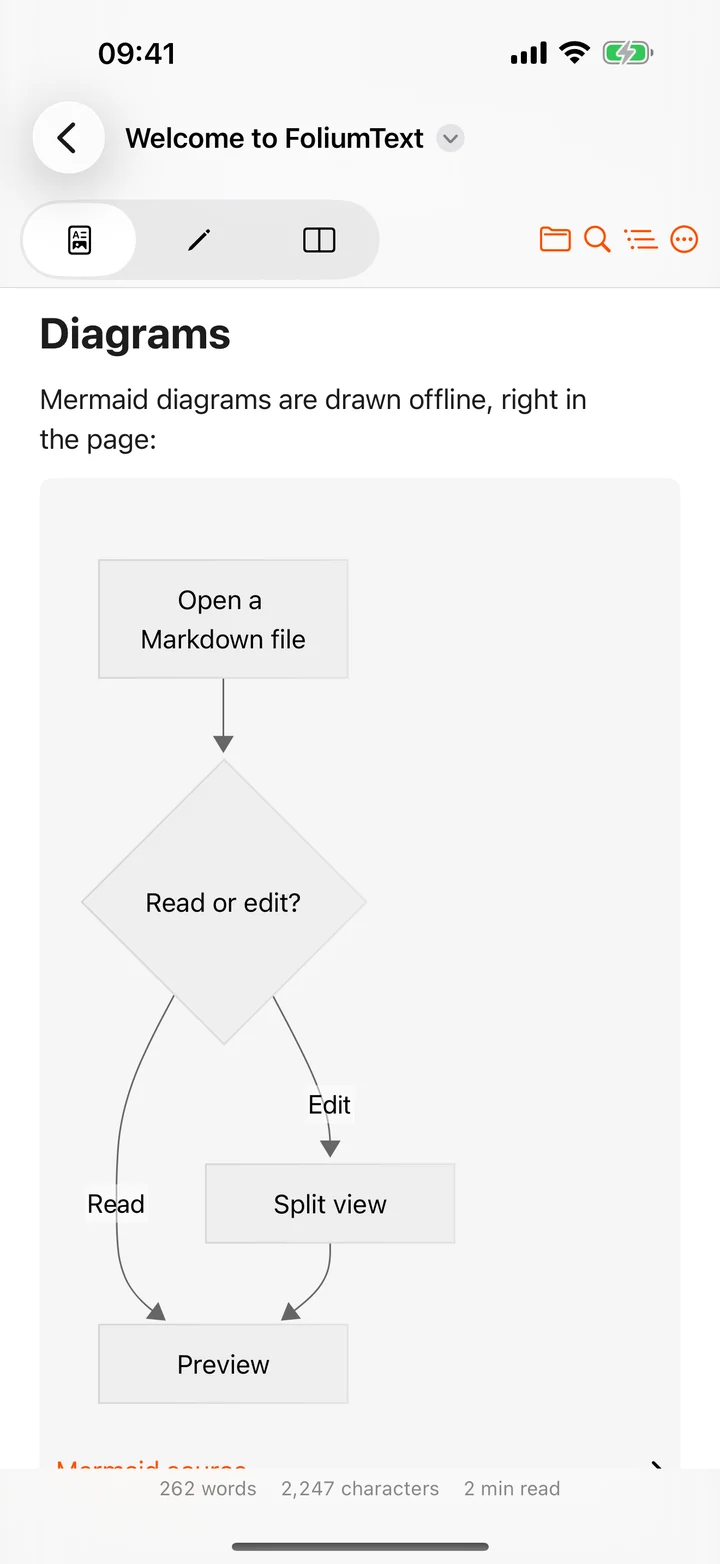
Diagrams, drawn offline.
Mermaid flowcharts and sequence diagrams render right in the page, with no connection needed. The source is one tap away.
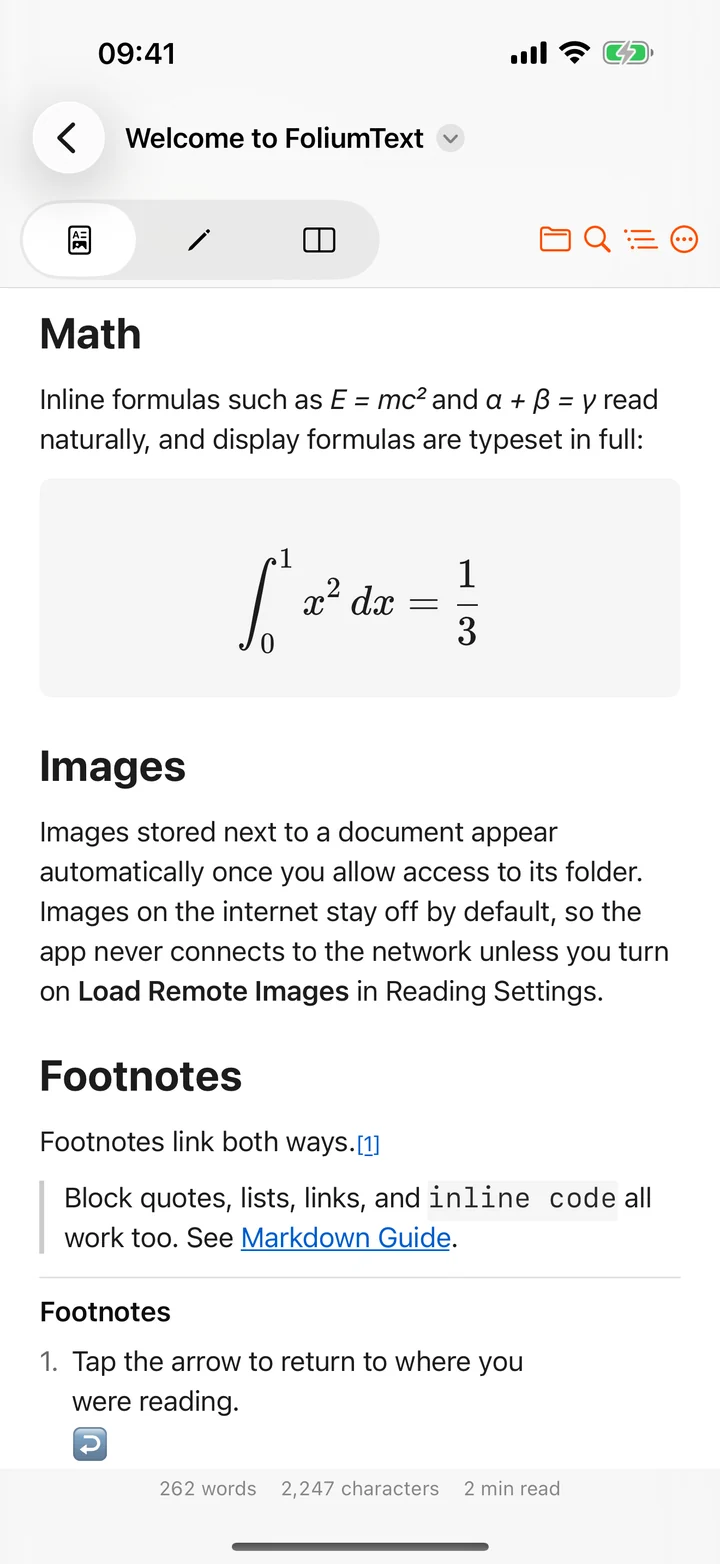
Math that typesets itself.
Inline formulas sit naturally in a sentence. Display equations are set in full with KaTeX.
Code in colour, day or night.
Syntax highlighting across dozens of languages, in six themes that are tuned all the way down to the code block.
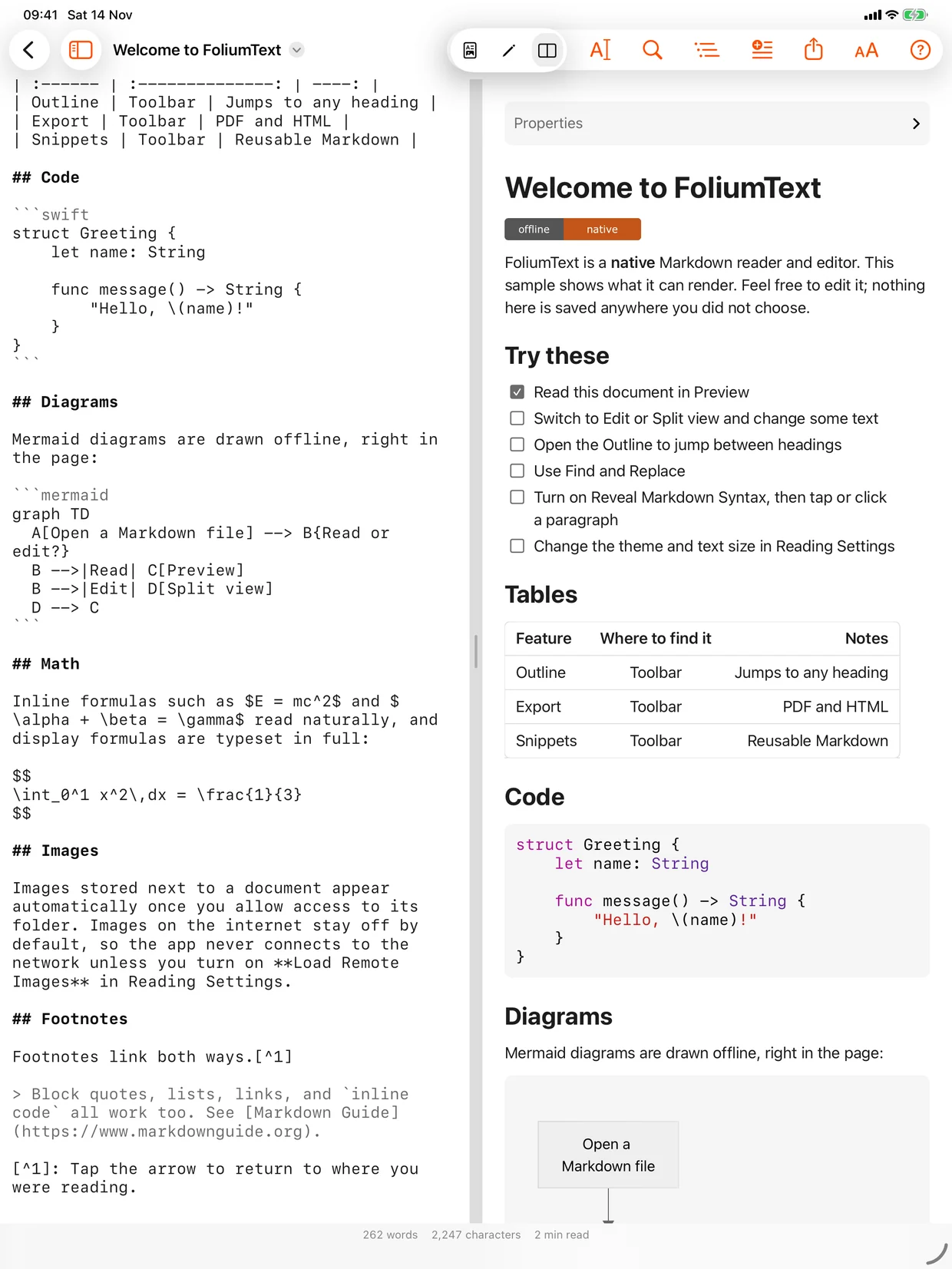
Write on the left. Read on the right.
Edit the Markdown source and watch the preview keep up, side by side on iPad and Mac.
Find and replace
The native kind, with the shortcuts you already know.
Snippets
Save Markdown you reuse and insert it anywhere.
Focus mode
Keeps the line or paragraph you are on in view and lets the rest recede.
Saved for you
Edits save automatically, with Undo and version history from the system.
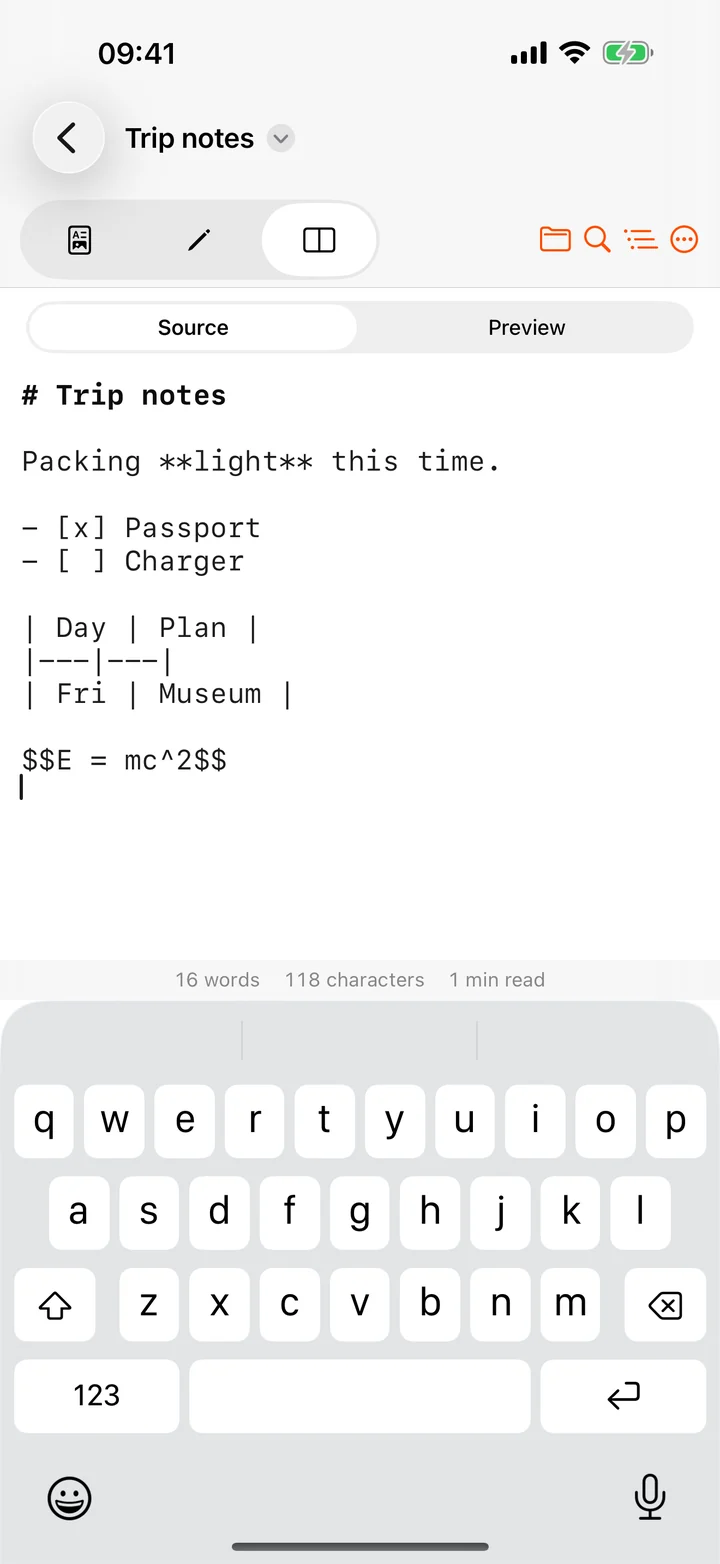
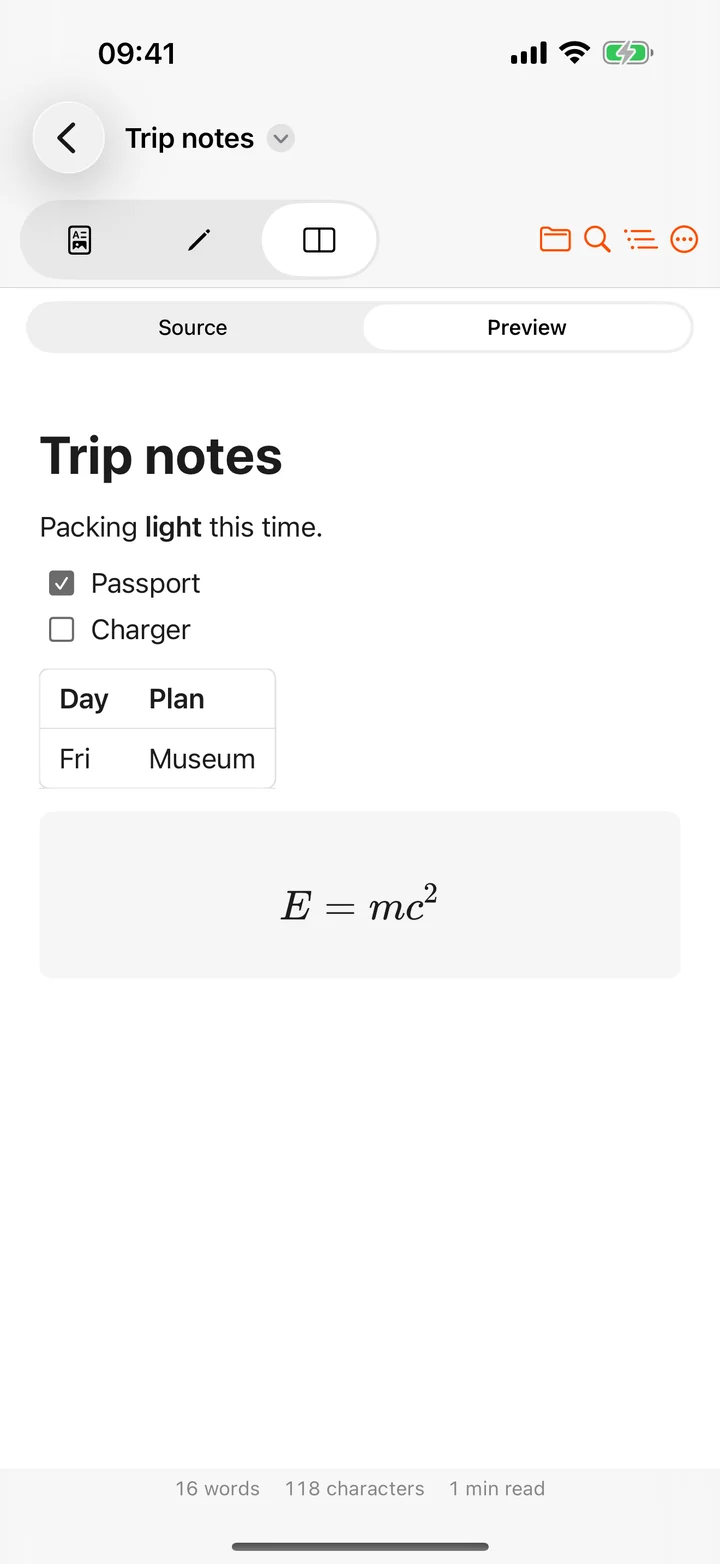
On iPhone, the preview is one tap away.
Type in Source, flip to Preview. Word count, character count and reading time stay at the bottom of the page.
Find your place. Set your type. Take it with you.
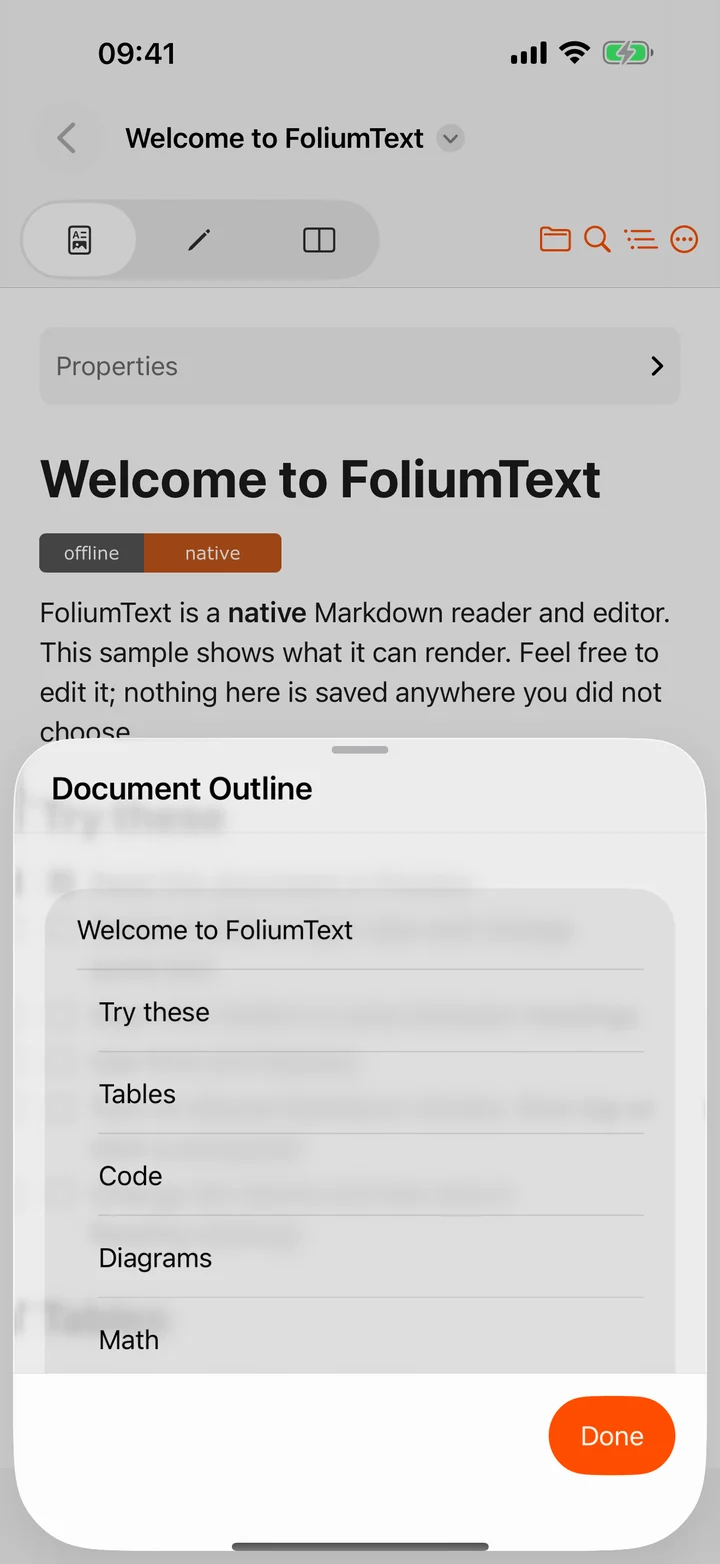
Jump to any heading
The outline turns a long document into a list you can tap through.
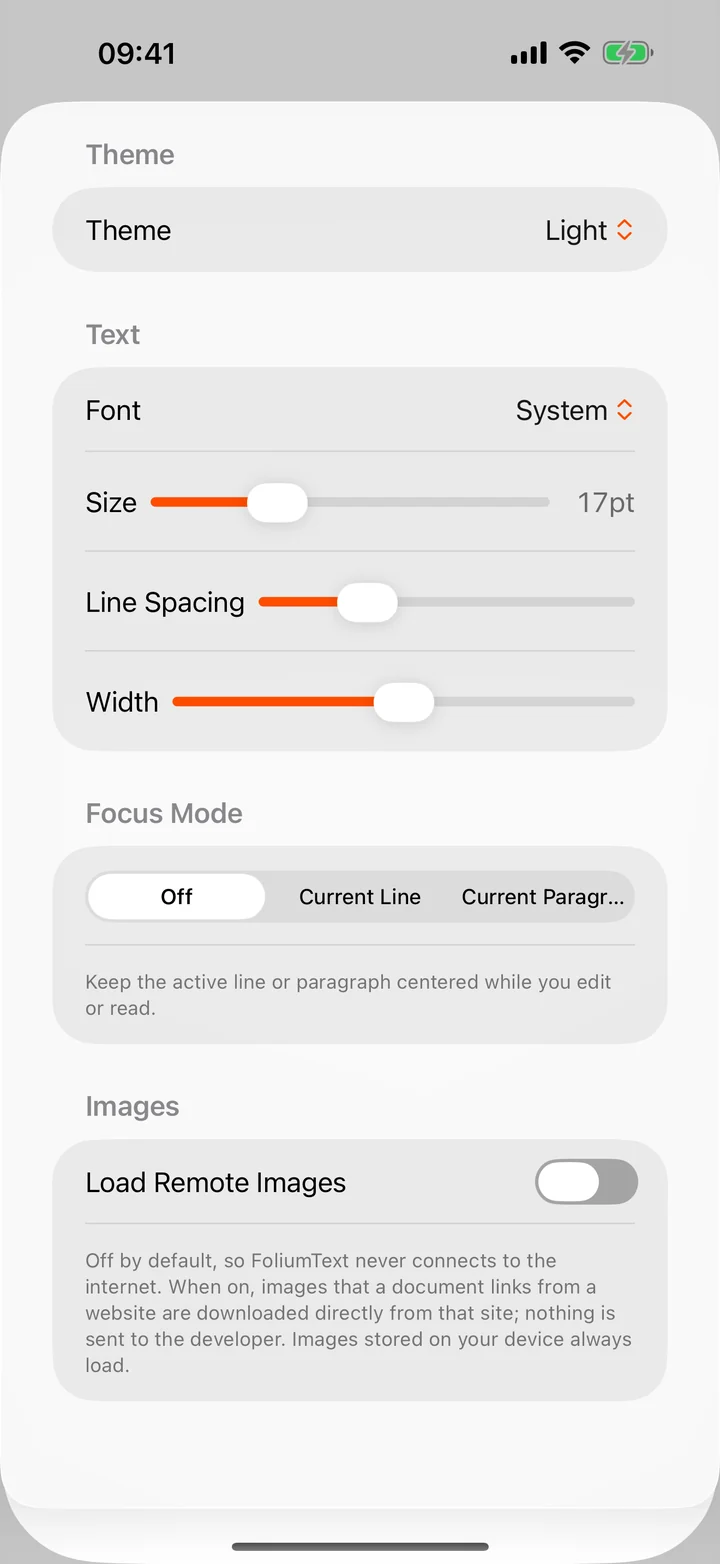
Read your way
Light, Dark, Sepia, Ocean, Forest or High Contrast. Pick the font, size, spacing and width.
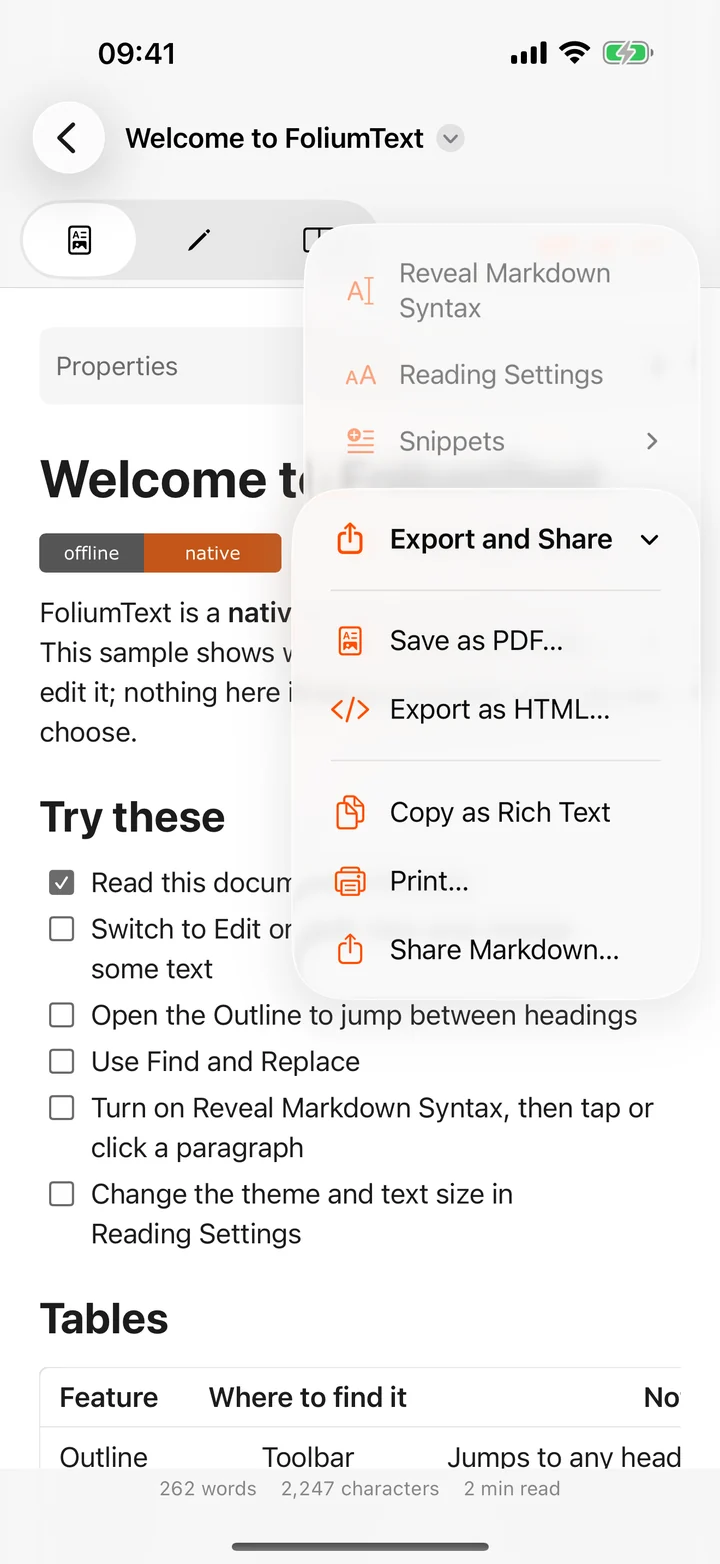
Export and share
Save a PDF, export a self-contained HTML file, copy as rich text, print or share.
And the rest.
- Browse a folder
- Open a folder and reach every Markdown file in it from the sidebar, with optional Spotlight search.
- Quick Look
- Press Space on a Markdown file in Finder, or preview it in Files, without opening the app.
- Tabs on Mac
- Documents open as tabs in one window.
- Shortcuts
- Convert Markdown to HTML and count words in your automations.
- Images and badges
- Pictures stored next to your document appear once you allow access to its folder. SVG too.
- Reveal Markdown Syntax
- Tap anything in the preview to see the source behind it.
- Front matter
- YAML at the top of a file folds into a tidy Properties section.
- Share sheet
- Send text, a link or a text file from any app and save it as Markdown wherever you choose.
- Right-to-left text
- Arabic and Hebrew read correctly.
- Six languages
- English, Spanish, German, French, Japanese and Simplified Chinese.
No account.No analytics.No ads.No trackers.
FoliumText reads and writes only the files and folders you choose, inside Apple’s App Sandbox, and by default never connects to the internet. There is no proprietary format and no cloud of its own: your files stay where they already live, in Files, iCloud Drive or Finder.

FoliumText is free.
No in-app purchases and no subscription. One app for iPhone, iPad and Mac.
Get FoliumTextRequires iOS 26, iPadOS 26 or macOS 15 Sequoia, or later.